Tab to notation converter for guitar and bass
Tab to sheet music
Paste the tab you already have and hand a pianist, bandmate or teacher notation they can read.
No account needed to preview · Export PDF, MusicXML, MIDI or Guitar Pro
TabToSheetMusic turns tab to sheet music in one step: paste the plain-text guitar or bass tab you already have, or drop in a Guitar Pro file, and get standard notation with the rhythm filled in. Fix any bar in one click, then export a PDF or MusicXML.
How it works
How to convert guitar tab to sheet music
To convert guitar tab to sheet music, paste the tab, check the rhythm the converter fills in, and export. No notation software to learn; the whole job usually takes a few minutes, most of it spent listening back.
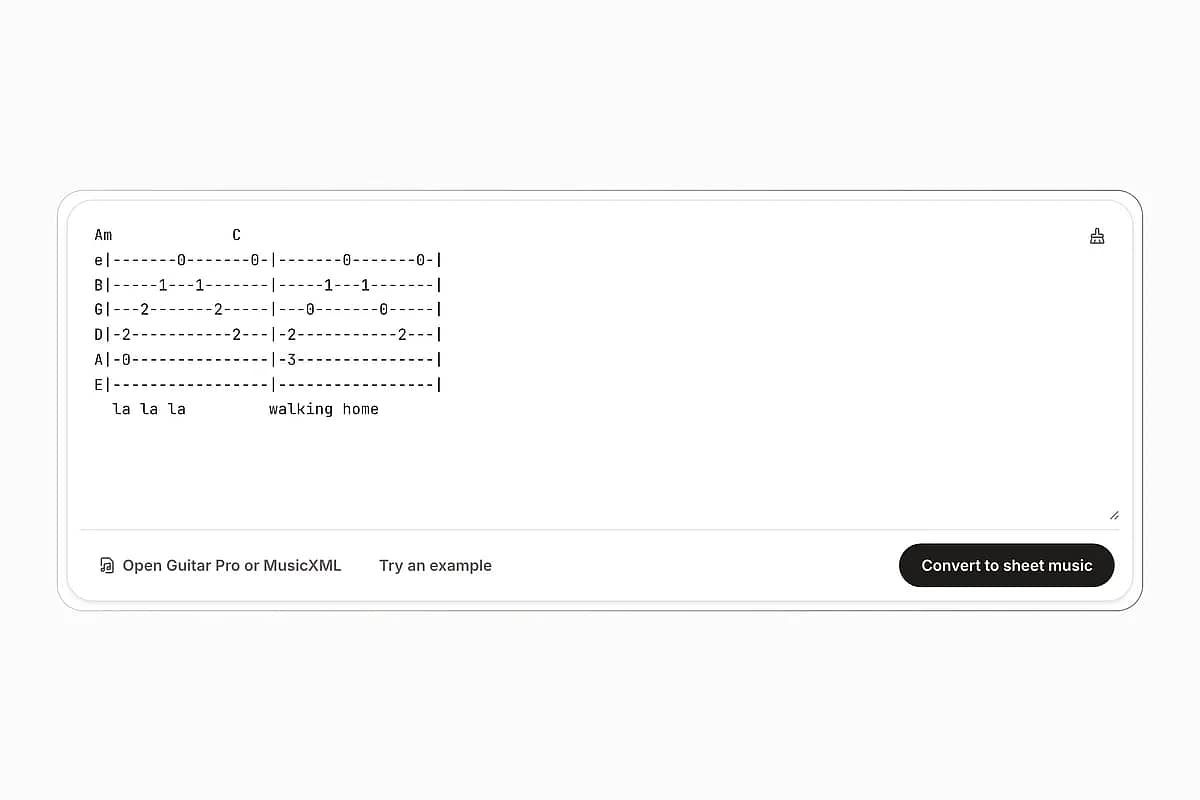
Paste your tab or drop in a file
Copy the tab from wherever you keep it, a forum post, a text file or a lesson handout, and paste it into the box. Chord names, lyrics and section labels between the tab lines are skipped. You can also drop in a Guitar Pro or MusicXML file.
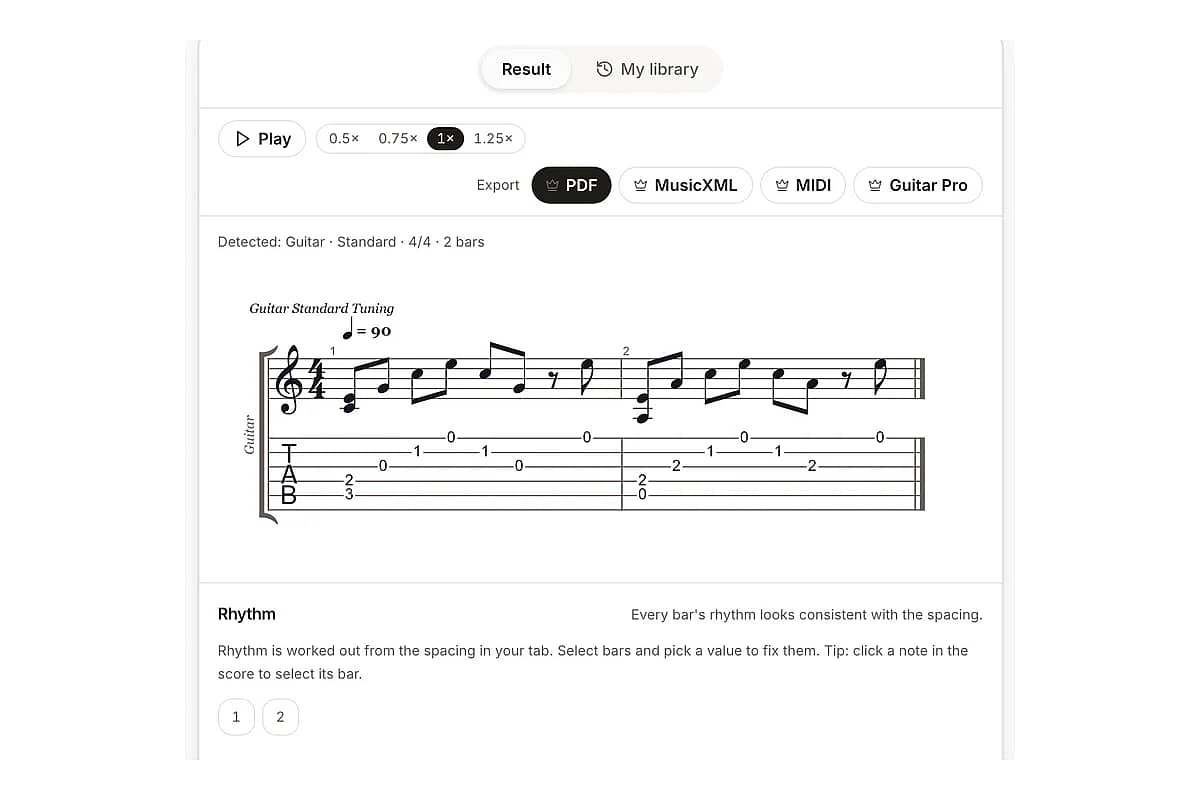
Check the notation and the rhythm
The notation appears above your tab, linked note for note. Press play to hear it, look at any bar marked as uncertain, and change its note values in one click if it doesn't sound like the song.
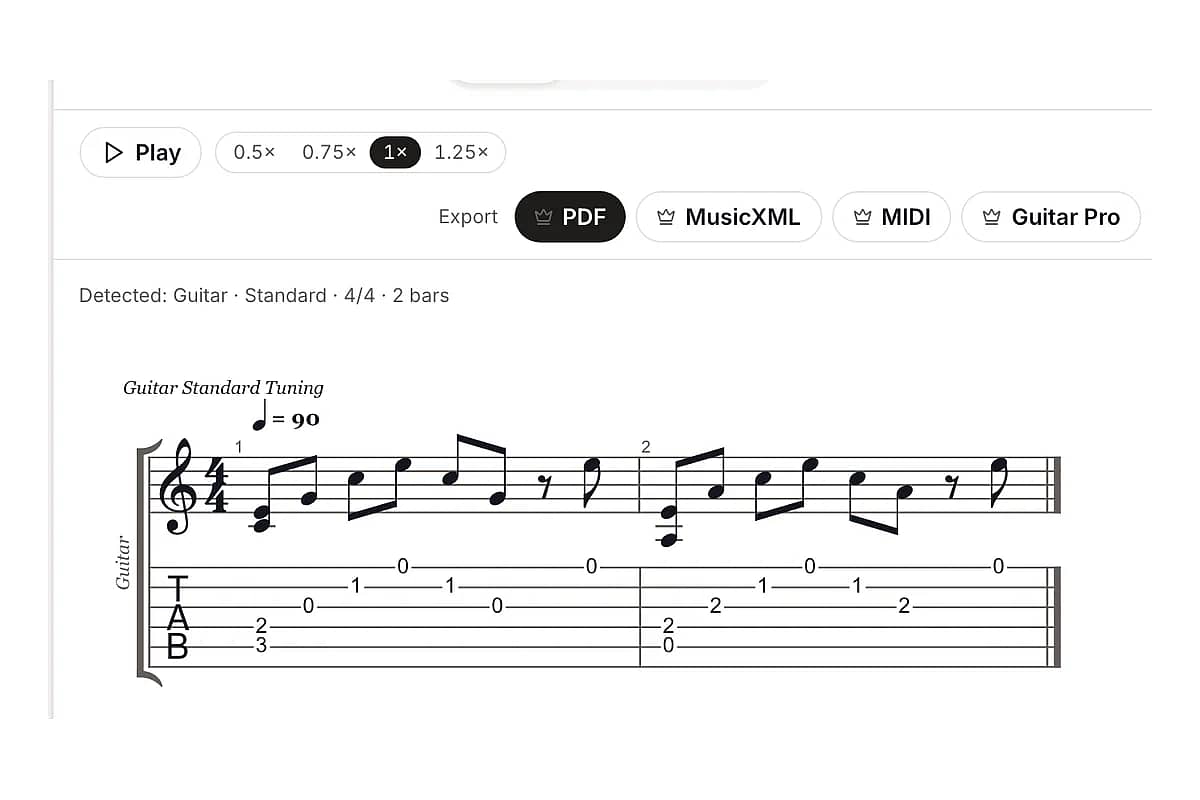
Export and hand it over
Download a printable PDF for the pianist, MusicXML for a teacher who works in MuseScore or Sibelius, or MIDI and Guitar Pro files for your own projects. Every conversion is saved to your library so you can export it again later.
Examples
Guitar tab notation, side by side with the tab it came from
Each example below is plain text you could copy from a forum post. Load one into the converter to see the notation it becomes, then play it back to check the rhythm.
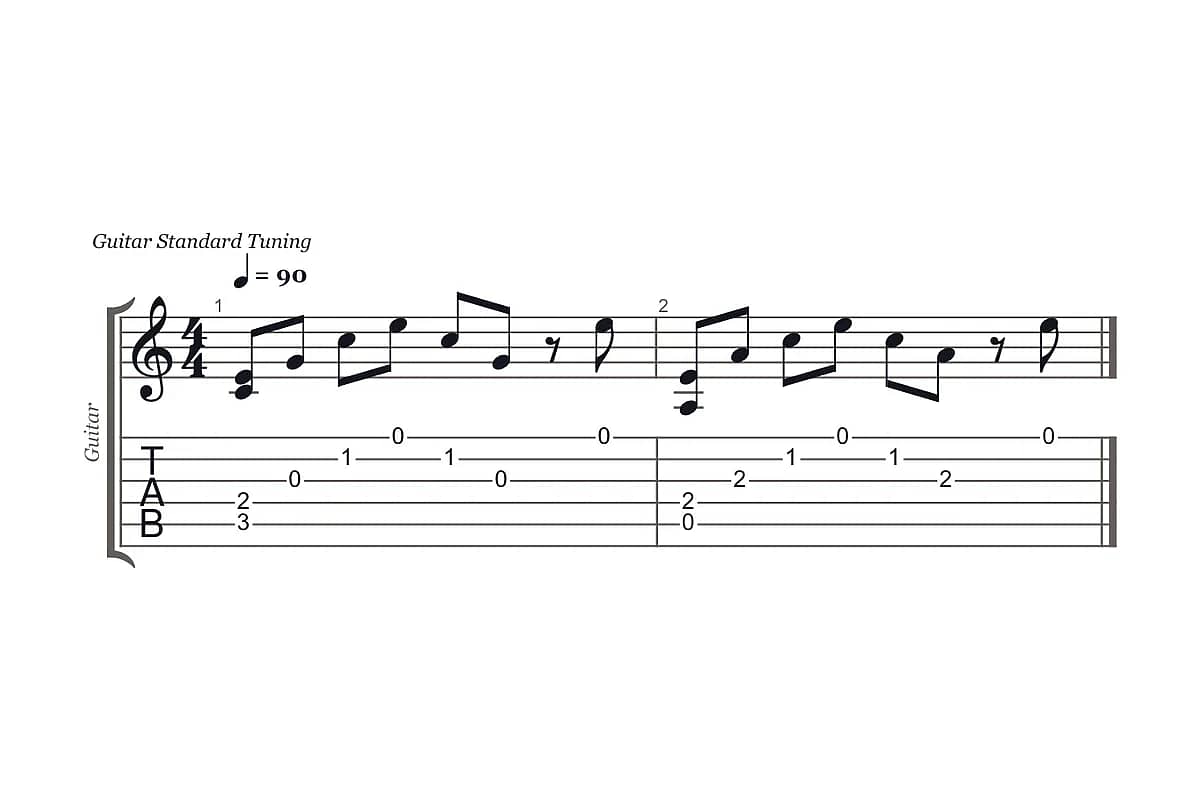
Fingerpicked arpeggio
Guitar · 4/4 · eighth notes from even spacing
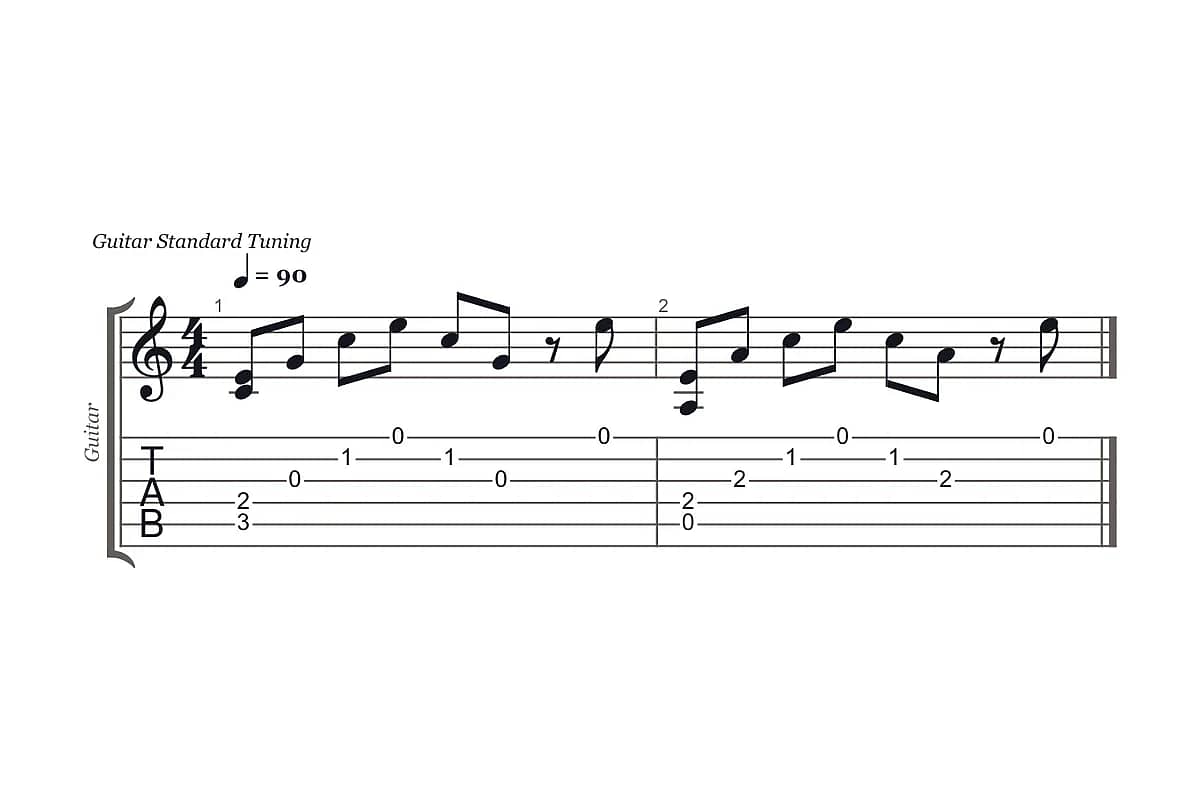
e|-------0-------0-|-------0-------0-|
B|-----1---1-------|-----1---1-------|
G|---0-------0-----|---2-------2-----|
D|-2---------------|-2---------------|
A|-3---------------|-0---------------|
E|-----------------|-----------------|
Evenly spaced notes become straight eighth notes. The open strings stay on the strings you wrote, so the tab staff under the notation matches your original.
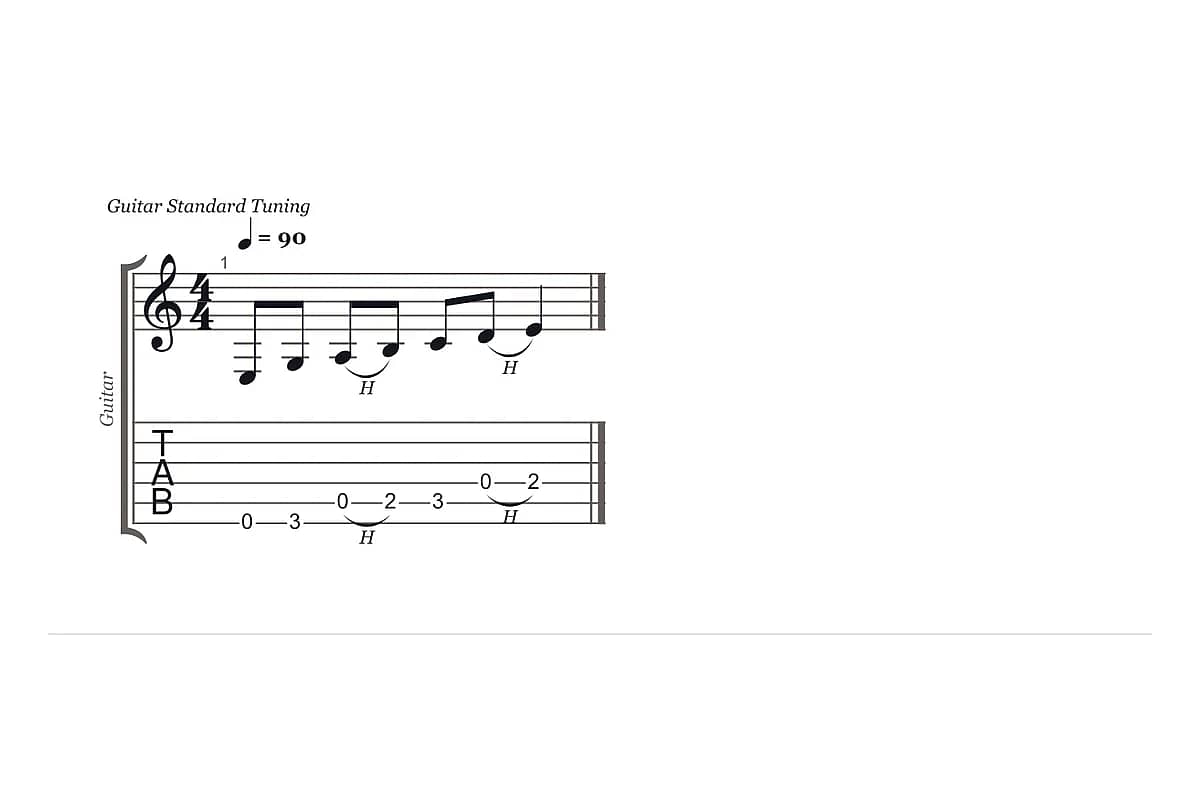
Riff with hammer-ons
Guitar · 4/4 · h marks kept as slurs
e|-----------------|
B|-----------------|
G|-----------------|
D|-----------0h2---|
A|-----0h2-3-------|
E|-0-3-------------|
The h between two frets becomes a slur in the notation and a hammer-on in the tab staff, instead of two unrelated notes.
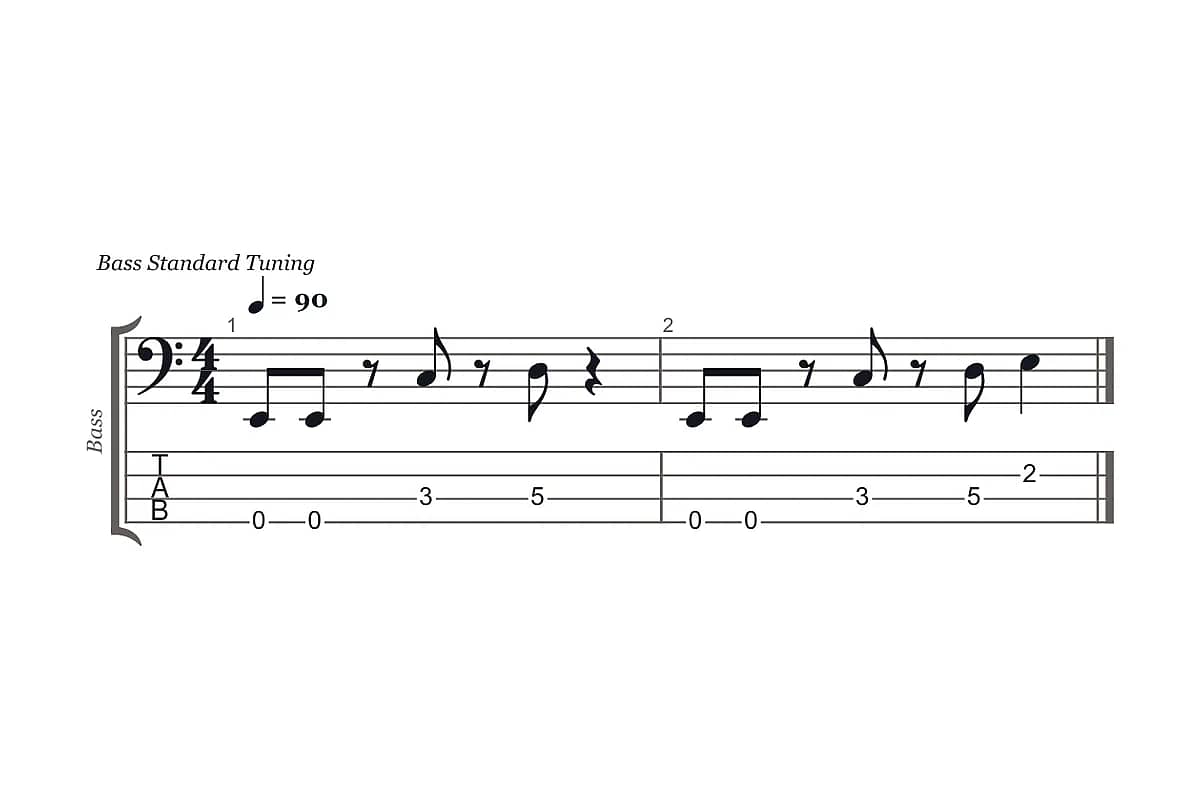
Bass groove with rests
Bass · 4 strings · bass clef
G|-----------------|-----------------|
D|-----------------|-------------2---|
A|-------3---5-----|-------3---5-----|
E|-0-0-------------|-0-0-------------|
Gaps such as 0-0---3 are read as rests, not long held notes, which is how most bass riffs are meant to sound.
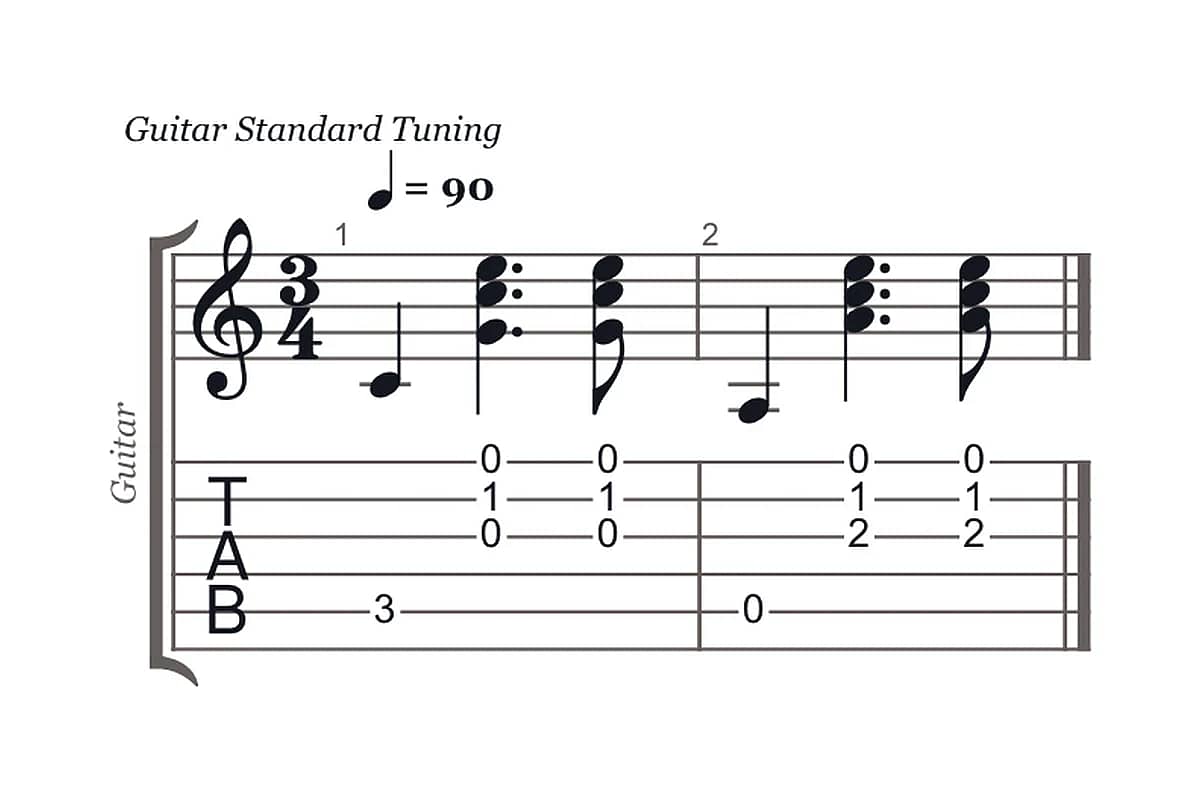
Waltz pattern in 3/4
Guitar · 3/4 detected from spacing
e|-----0-----0-|-----0-----0-|
B|-----1-----1-|-----1-----1-|
G|-----0-----0-|-----2-----2-|
D|-------------|-------------|
A|-3-----------|-0-----------|
E|-------------|-------------|
Six even notes per bar could be 3/4 or 6/8. Notes that land on beats two and three point to 3/4, so the bars are grouped as a waltz.
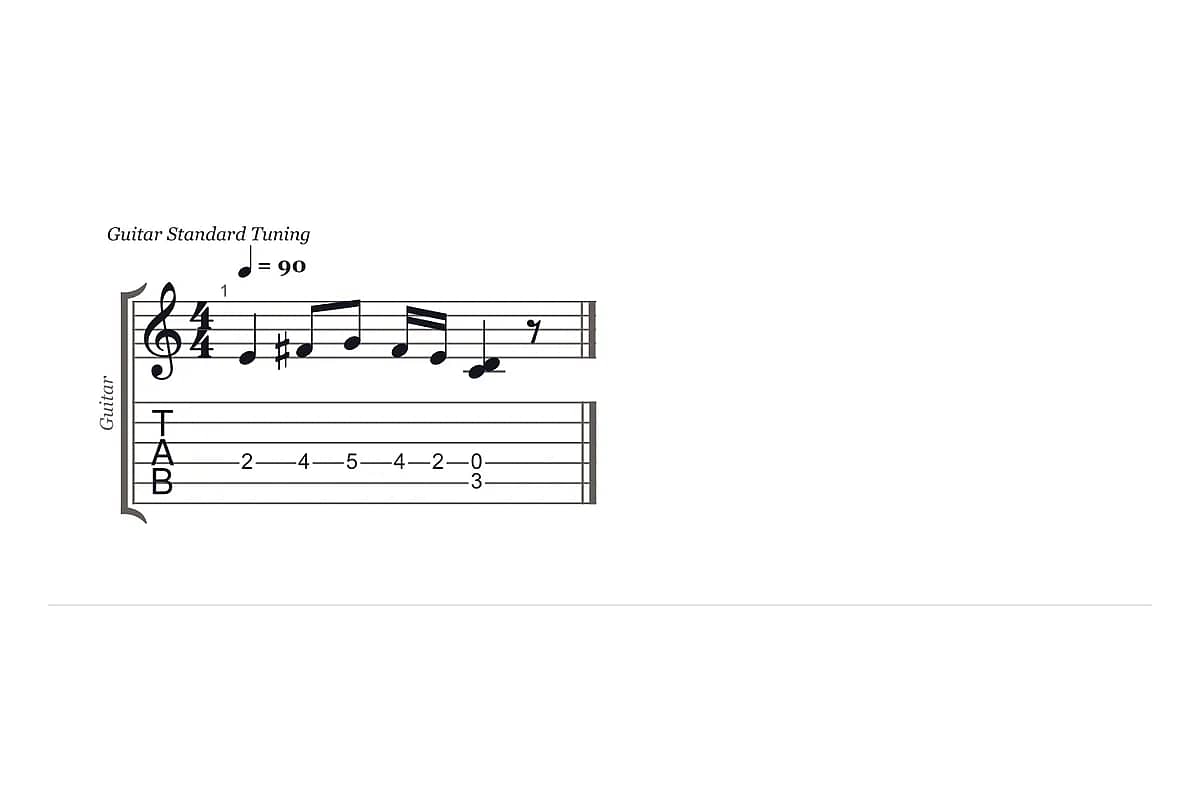
Tab with a rhythm line
Guitar · rhythm letters used as written
   q   e e s s q   q
e|-----------------|
B|-----------------|
G|-----------------|
D|-2---4-5-4-2-0---|
A|-------------3---|
E|-----------------|
When a tab has a rhythm line such as q e e s s, the durations are taken from it directly instead of being estimated from spacing.
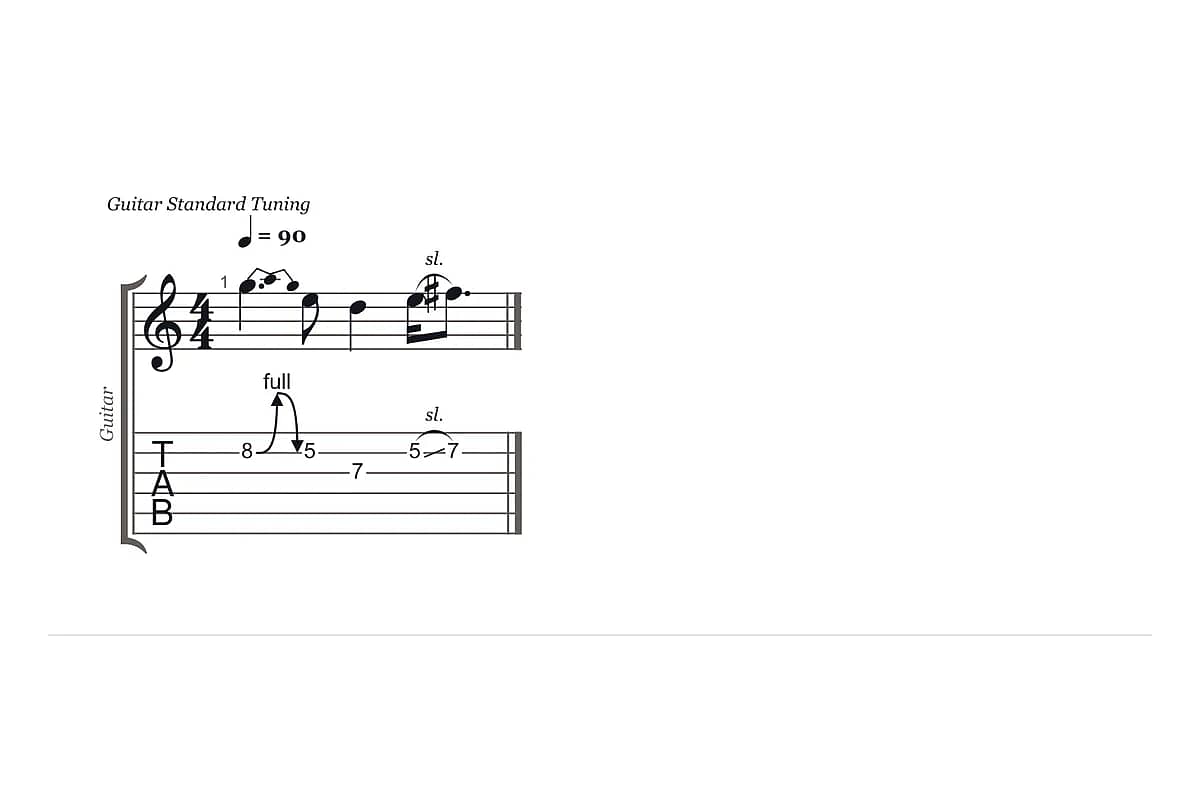
Lead line with a bend and slide
Guitar · bends, release and slides
e|-------------------|
B|-8b10r8-5-----5/7--|
G|----------7--------|
D|-------------------|
A|-------------------|
E|-------------------|
Bend, release and slide marks such as 8b10r8 and 5/7 come through as articulations, so the person reading the notation knows how the line should be played.
Tab vs notation
How is tab different from standard notation?
What tab shows, and what notation shows
Tab (tablature) is a six-line diagram of the guitar strings, four lines for bass, that shows which fret to play on which string. Standard notation is a five-line staff that shows pitch and rhythm, and it's what pianists, horn players, singers and most teachers read.
Why converting tab means filling in rhythm
Plain-text tab usually leaves rhythm out. That's why converting tab to sheet music means two jobs: working out the pitch of each fret in your tuning, and filling in how long each note lasts.
Rhythm
How does the converter work out rhythm from text tab?
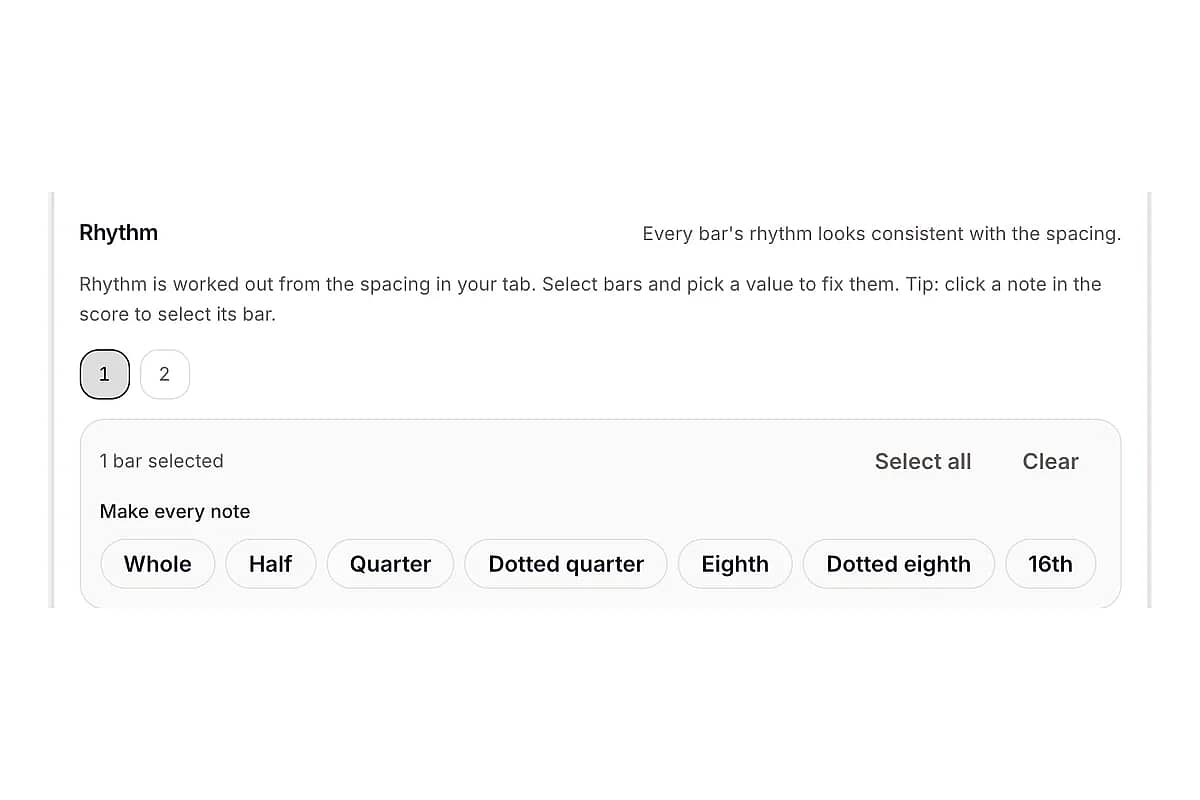
Plain-text tab tells you which fret to play, not how long to hold it. That gap is the reason most tab converters hand you a page of quarter notes. TabToSheetMusic works the rhythm out in three steps and shows you where it is unsure.
01
Uses the rhythm line if your tab has one
Many tabs carry a line of rhythm letters (w h q e s) or beat counts (1 & 2 &) above the strings. When that line is there, TabToSheetMusic uses it exactly as written.
02
Otherwise, estimates rhythm from spacing
Each note's position in the bar is snapped to beats, eighths or sixteenths, and the gaps become durations or rests. Time signature (4/4, 3/4 or 6/8) and pickup bars are detected from the same spacing.
03
Flags the bars it is less sure about
Every bar gets a confidence score. Bars with uneven spacing or an odd number of notes are highlighted, so you know where to look before you export.
04
Lets you fix a bar in one click
Select a bar and set it to straight eighths, sixteenths or any other value. Play it back to hear the result. You fix the bars that need it instead of retyping the song.
What it can't know for you
Spacing in a text tab is a hint, not a score. Swing feel, syncopation the tab writer didn't space out, and ties across bars still need your ear. That's why playback and per-bar fixes sit right next to the notation instead of in a separate editor.
Import
Paste ASCII tab or drop in a Guitar Pro file
TabToSheetMusic reads the formats guitarists already have on hand.
Plain-text (ASCII) guitar tab
Six-line tab with string names (e B G D A E) or without them. Long dashes, uneven line lengths, two-digit frets and chords stacked in one column are all handled. Lines that aren't tab, such as chord names, lyrics or [Verse] labels, are ignored.
Bass tab
Four-string and five-string bass tab (G D A E, or with a low B). Bass tab is written in bass clef, an octave above the sounding pitch, the way bass parts are normally printed.
Techniques written in the tab
Hammer-ons (h), pull-offs (p), slides (/ and \), bends and releases (b, r), vibrato (~), muted notes (x), ghost notes in brackets and natural harmonics in angle brackets.
Tunings
Standard, Drop D, half-step down and other common tunings are read from the string names at the start of each line, so the notation shows the pitches that really sound.
Guitar Pro files
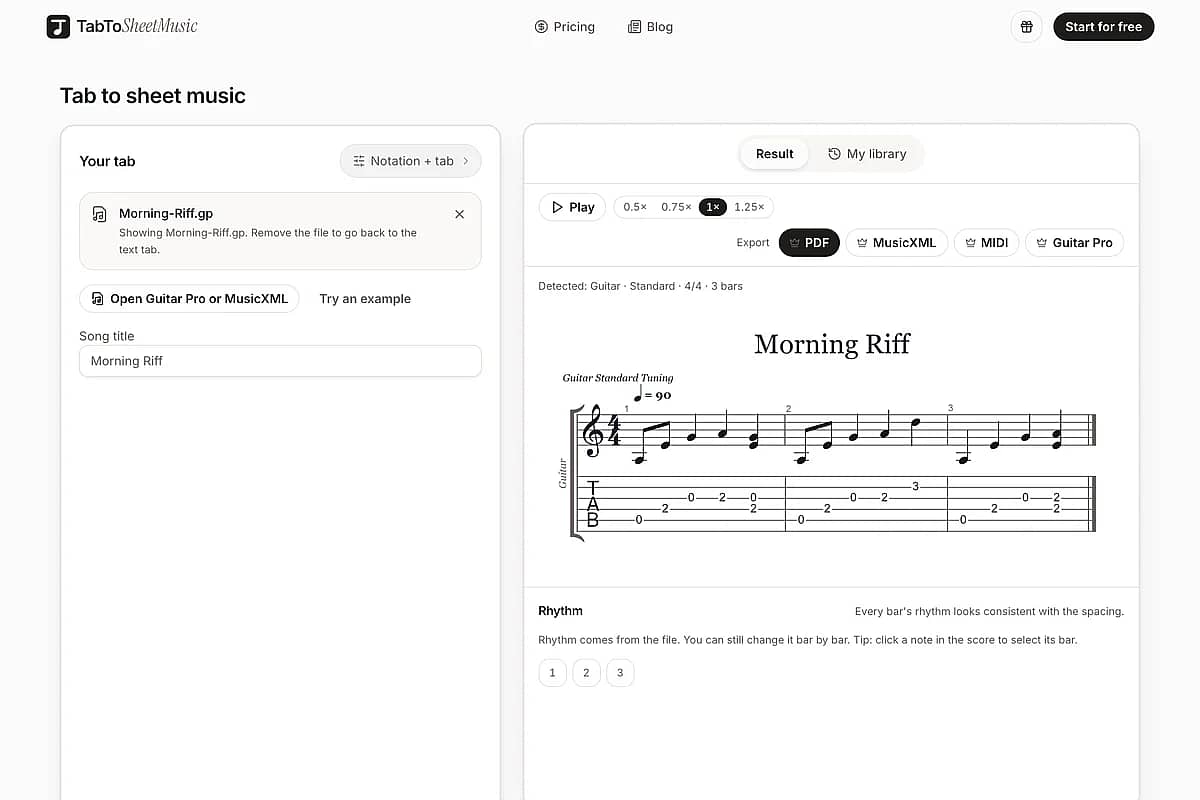
Drop in a .gp, .gp3, .gp4, .gp5 or .gpx file. Durations come straight from the file, so there's nothing to estimate. TabToSheetMusic takes the track that has notes in it and lays it out as notation over tab.
MusicXML files
Bring a MusicXML file from another program to get a tab staff underneath the notation. If the file has notation only, strings and frets are assigned for you.
Export
Export a PDF or MusicXML for MuseScore, Sibelius, Dorico and Finale
Pick the file the other person can open and use. Previewing, playing back and fixing bars cost nothing; exporting uses one credit per song.
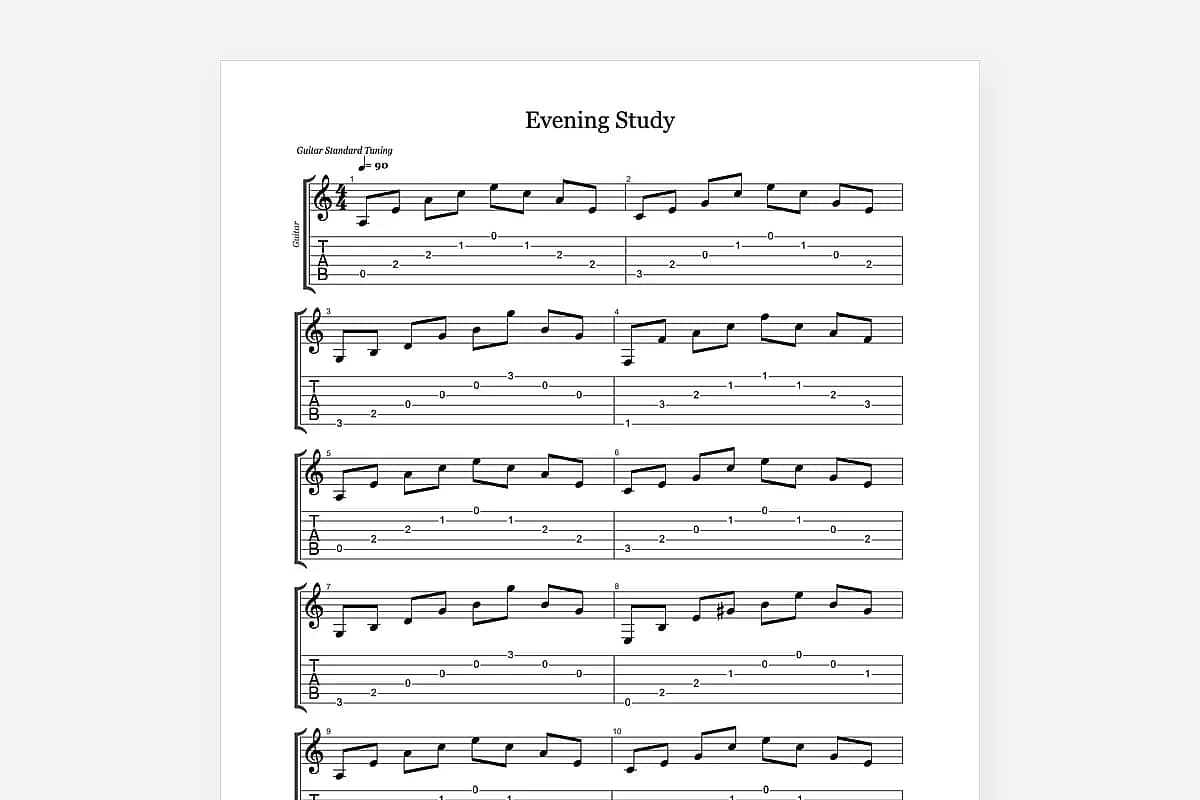
Printable sheet music
Standard notation with the tab staff underneath, laid out for A4 or US Letter. Hand it to a pianist, a choir director or a student who reads notation.
Keep editing in notation software
MusicXML 4.0 opens in MuseScore, Sibelius, Dorico and Finale with both staves intact. Use it when someone needs to arrange, transpose or add parts.
Play it in a DAW
Drop the part into Logic, Ableton, GarageBand or any DAW to build a backing track or check the timing against a recording.
Back to tab software
Save the converted part as a Guitar Pro file, with rhythm included, to keep working on it in Guitar Pro or TuxGuitar.
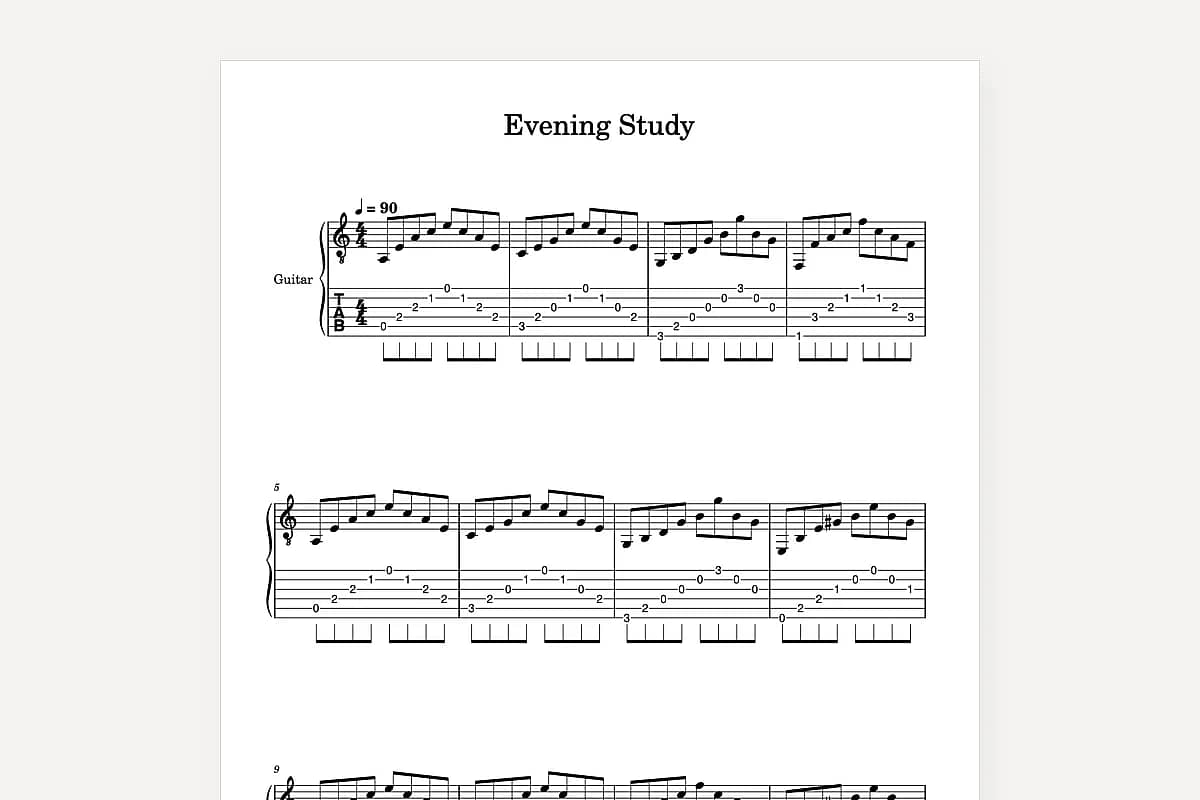
Opening the MusicXML file
- MuseScore 4: File → Open, then pick the .musicxml file.
- Sibelius: File → Open; the part arrives with notation and tab staves.
- Dorico: File → Import → MusicXML.
- Finale: File → Import → MusicXML.
Bass
Bass tab to sheet music, in bass clef
Four- and five-string bass, in bass clef
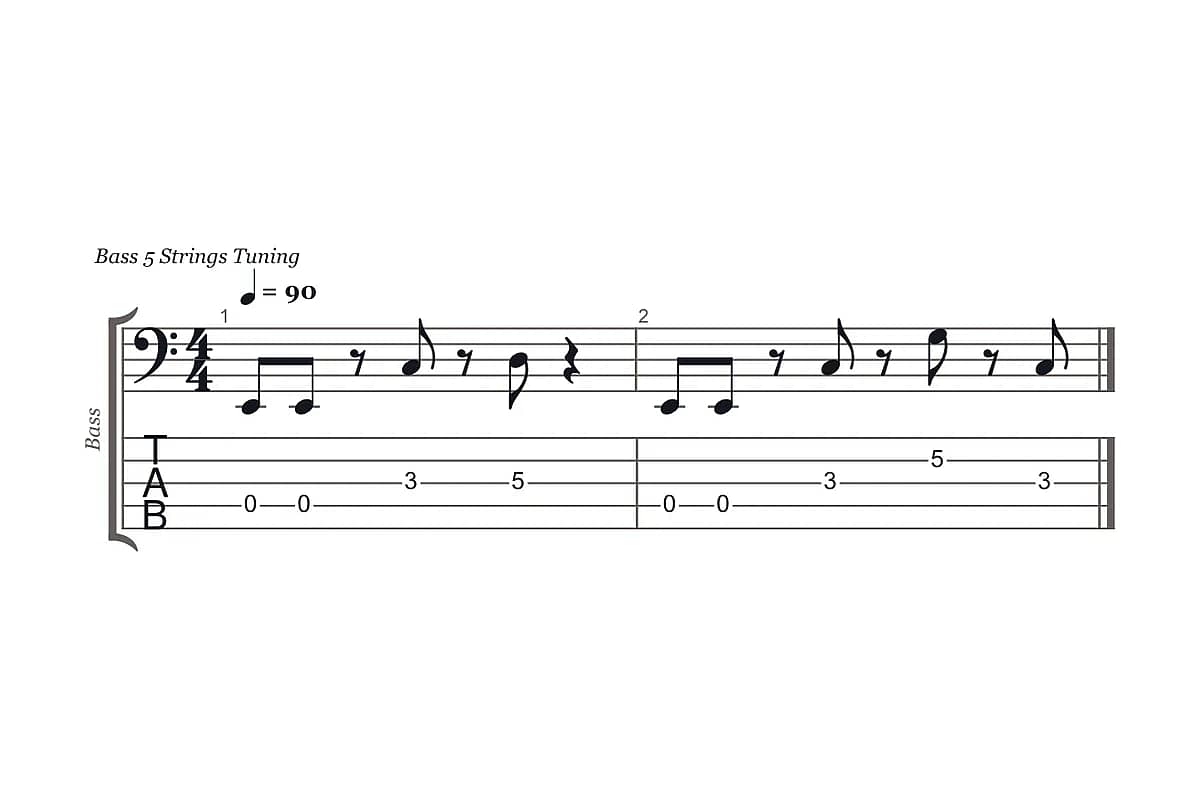
Bass tab to sheet music works the same way as guitar: paste four-string or five-string tab and get notation in bass clef, with the tab staff underneath. Bass players are often asked for a chart by a horn section, a church music director or a teacher, and bass clef is what those readers expect.
Gaps in bass tab are read as rests
Bass riffs lean on space. A line like 0-0---3 means two short notes, a rest and a note, not three long notes. TabToSheetMusic treats those gaps as rests by default, which matches how most bass parts are played. If a gap really is a held note, select the bar and lengthen it.
G|-----------------|-----------------|
D|-----------------|-----------5-----|
A|-------3---5-----|-------3-------3-|
E|-0-0-------------|-0-0-------------|
B|-----------------|-----------------|
Who it's for
Built for guitarists who hand their part to someone else

Guitarists in a band or worship team
You learned the part from tab and now the keyboard player, the horn section or the music director wants it on paper. Instead of re-entering every note in MuseScore, paste the tab, check the rhythm against how you play it, and send a PDF they can read at rehearsal.

Guitar teachers
Students arrive with tab from the internet, and you want worksheets with tab and standard notation together so they learn to read both. Convert the tab, fix the rhythm once, and print a two-staff handout. Your conversions stay in your library for next term.

Songwriters
You can play the song but can't write it in notation. Turn the guitar part or riff into a lead sheet starting point, then export MusicXML for an arranger or a singer's accompanist to build on.
Features
Everything between your tab and a finished score
See notation and tab together
Notation sits above a linked tab staff, note for note, so you can spot a misread fret or a wrong duration at a glance.
Hear it before you export
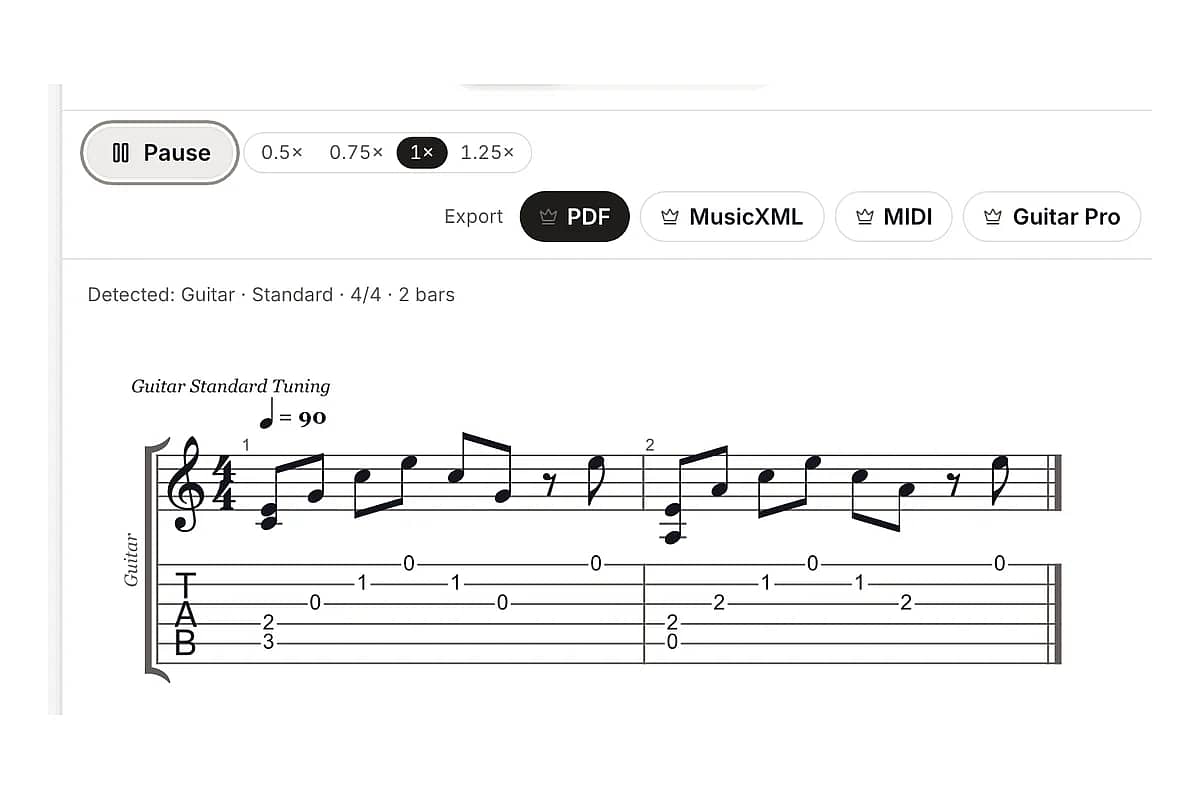
Playback with a moving cursor shows exactly which note is sounding. If a bar sounds wrong, it probably is.
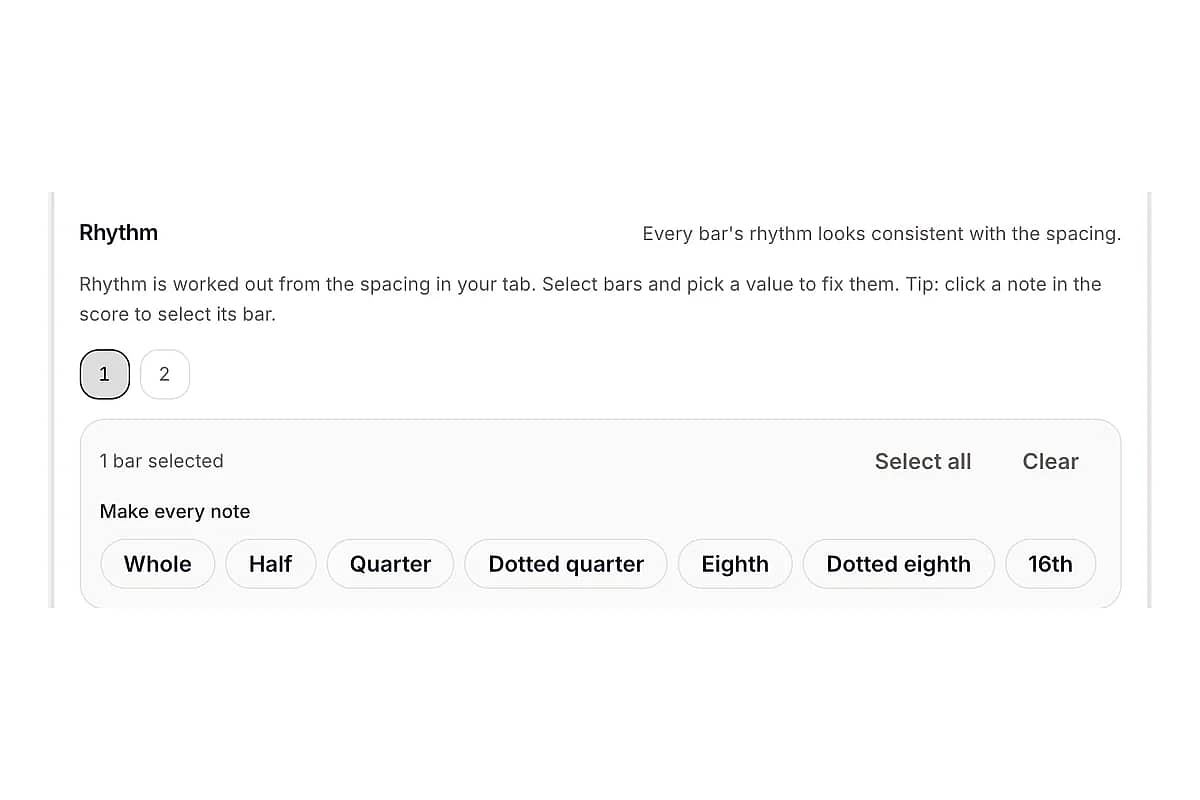
Fix a whole bar at once
Change every note in a bar to quarters, eighths or sixteenths with one click, instead of editing notes one by one.
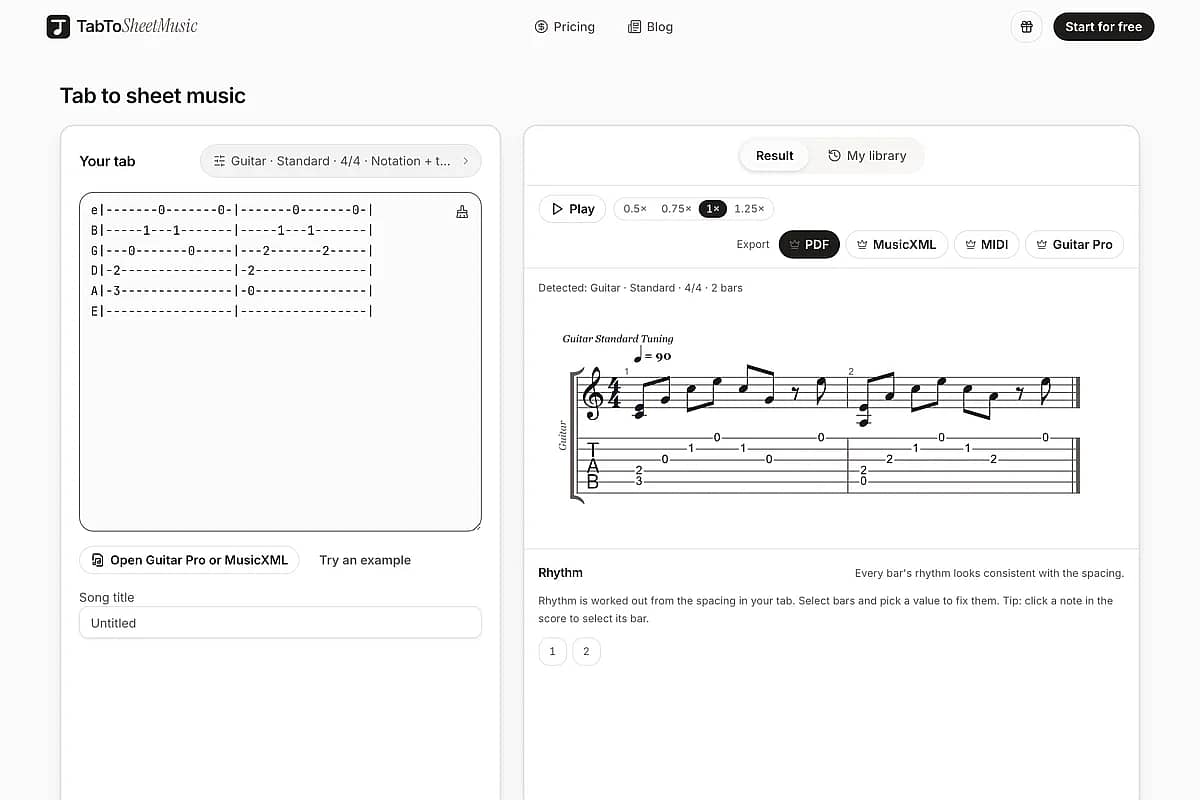
Works in your browser
An online tab to sheet music converter: nothing to install, nothing to learn. Converting and previewing happen in the browser, on desktop or tablet.
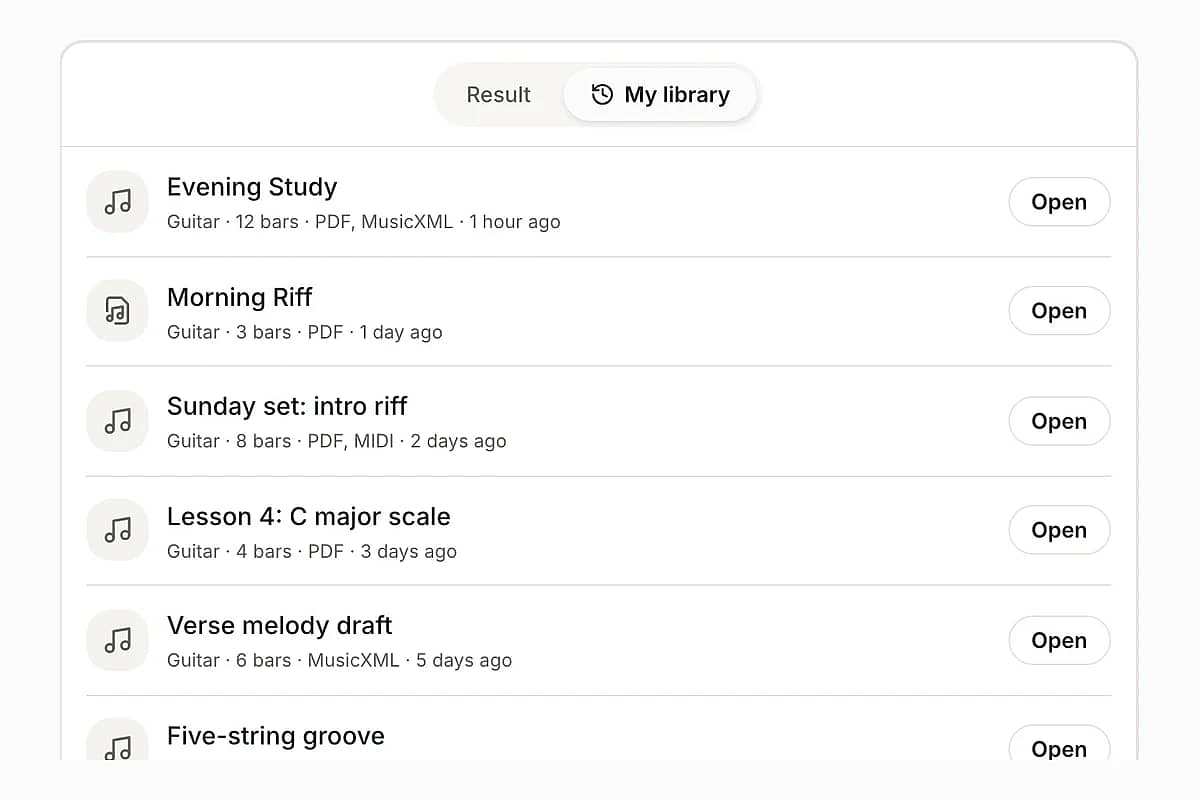
Keep a library of your songs
Signed-in users get every conversion saved, with the rhythm fixes you made, so you can export another format later without starting over.
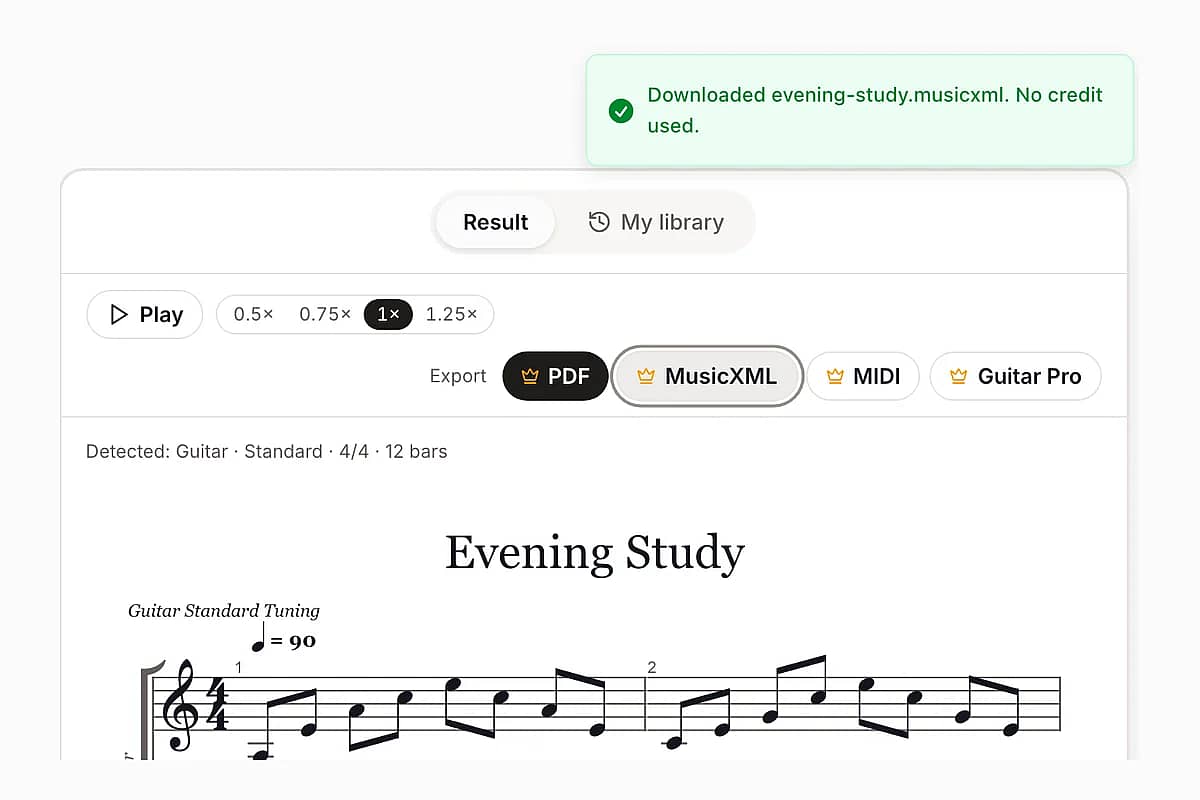
Re-export without paying twice
Exporting the same song again, in the same or another format, doesn't use another credit.
Compare
TabToSheetMusic vs MuseScore, Soundslice and Guitar Pro
All three are good tools. They're built to write and edit music; TabToSheetMusic is built only to turn tab you already have into notation someone else can read.
| TabToSheetMusic | MuseScore 4 | Soundslice | Guitar Pro 8 | |
|---|---|---|---|---|
| Paste plain-text tab | Yes, paste into the page | No; enter notes on a tab staff | Yes, ASCII tab import | Yes, File → Import → ASCII |
| Rhythm of pasted tab | Read from rhythm line or estimated from spacing; uncertain bars flagged; fix per bar | You enter every duration | Every note imported as a quarter note | Imports with rhythm when written in the file; Check Bar Duration flags incomplete bars |
| Bends and harmonics in pasted tab | Read | Not applicable | Bends and harmonics not detected | Effects read |
| Guitar Pro file import | Yes | Yes | Yes | Yes |
| Exports | PDF, MusicXML, MIDI, Guitar Pro | PDF, MusicXML, MIDI and more | PDF, MusicXML and more | PDF, MusicXML, MIDI and more |
| Install | None, runs in the browser | Desktop app | None, runs in the browser | Desktop app |
| Pricing model | Pay per export or subscribe | Free | Free plan; paid plans add features | One-time license |
Soundslice and Guitar Pro behaviour is taken from their own help pages, "Importing ASCII tablature into Soundslice" and "Importing ASCII in Guitar Pro 8" (both checked October 2026). MuseScore and Guitar Pro do far more than convert tab; if you already know them well, they may be all you need. Soundslice: Importing ASCII tablature · Guitar Pro 8: Importing ASCII
Stop re-entering every note.
Paste the tab you already have and see it as notation in seconds.
Pricing
Preview for nothing, pay per export
Converting, previewing, playing back and fixing bars never cost anything. Exporting uses credits: 1 credit exports one song, and your first export is on us when you sign up.
Paid exports are opening soon
Converting, previewing and playback are free now, and your first export is free when you sign up. These are the plans we plan to open with.
Single song
$4.90
1 credit: export one song in any format
10-song pack
$9.90
10 credits
Pro monthly
$7.90 / month
Unlimited exports
Pro yearly
$79 / year
Unlimited exports, billed yearly
In use
What guitarists hand off with it
Typical jobs TabToSheetMusic is built for. These are use cases, not customer quotes.
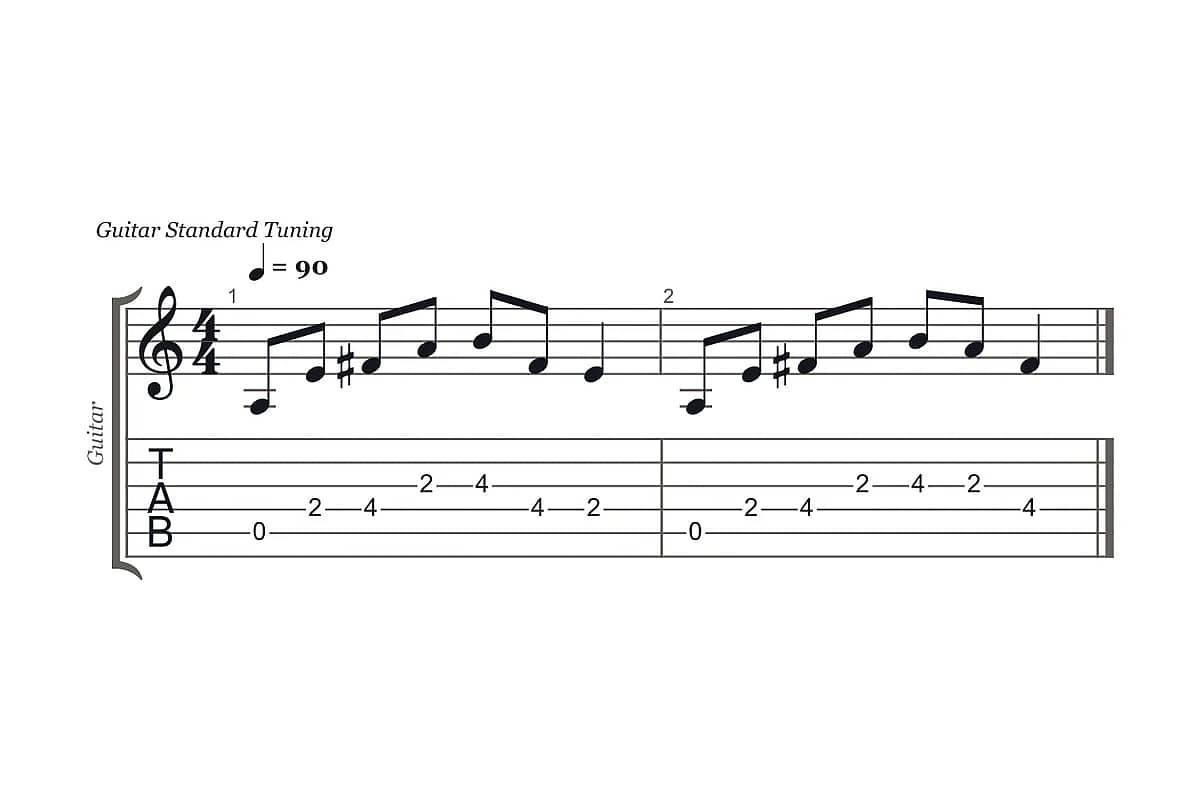
Worship guitarist
Turns the intro riff from a chord-and-tab sheet into notation for the keyboard player.
Example output: one-page PDF with notation over tab
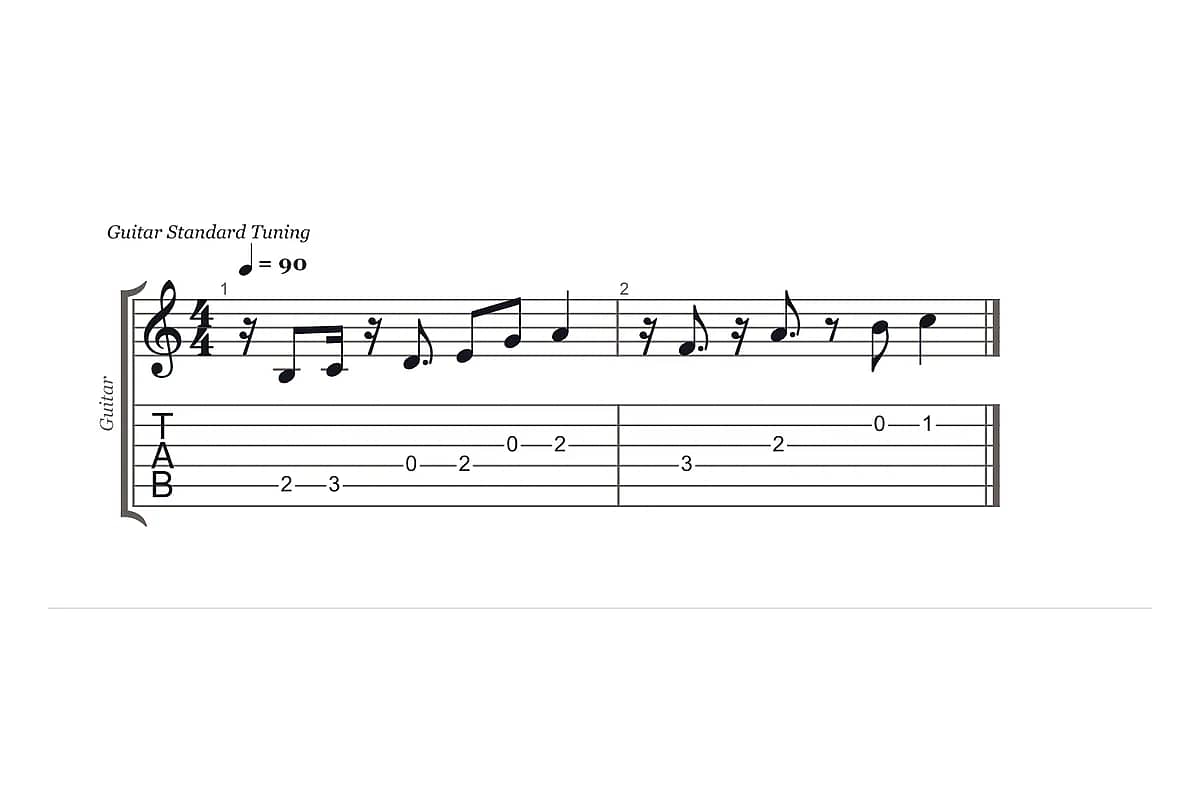
Guitar teacher
Converts a student's favourite riff into a two-staff worksheet for reading practice.
Example output: printable handout in tab and standard notation
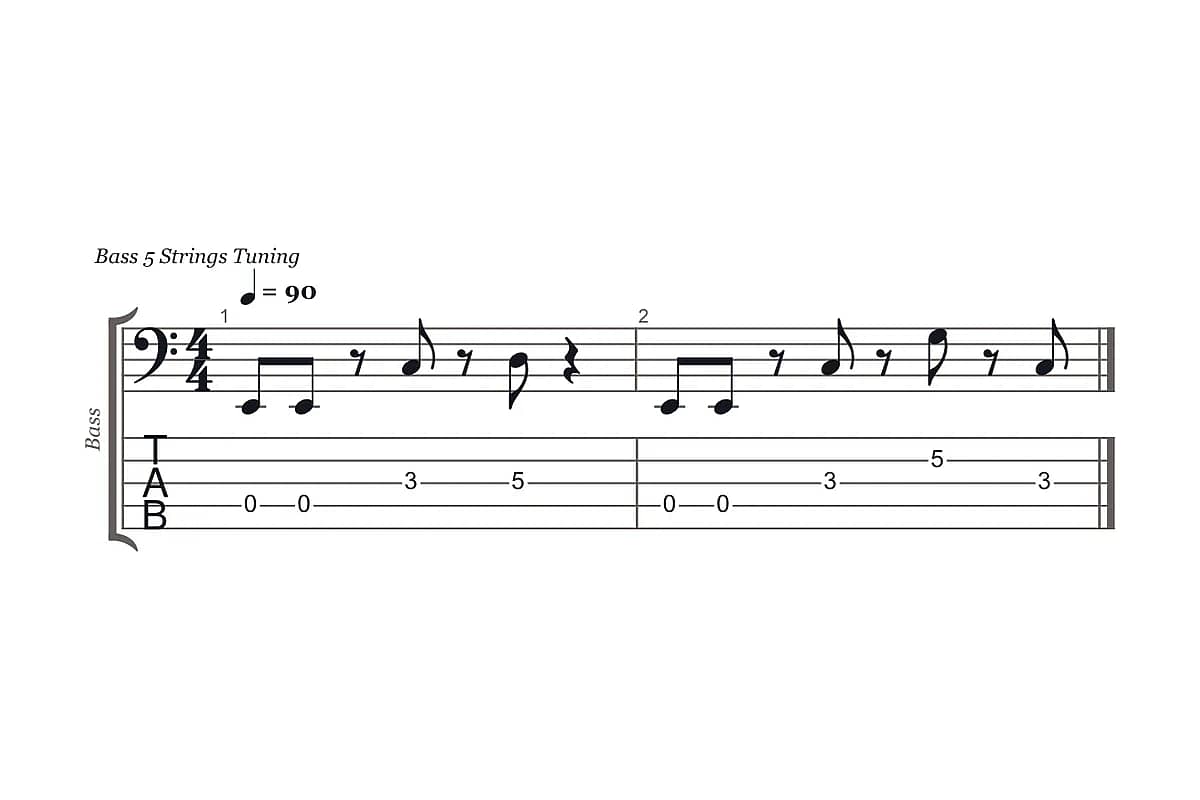
Session bassist
Sends a five-string groove to a horn arranger who only reads bass clef.
Example output: MusicXML in bass clef for the arranger
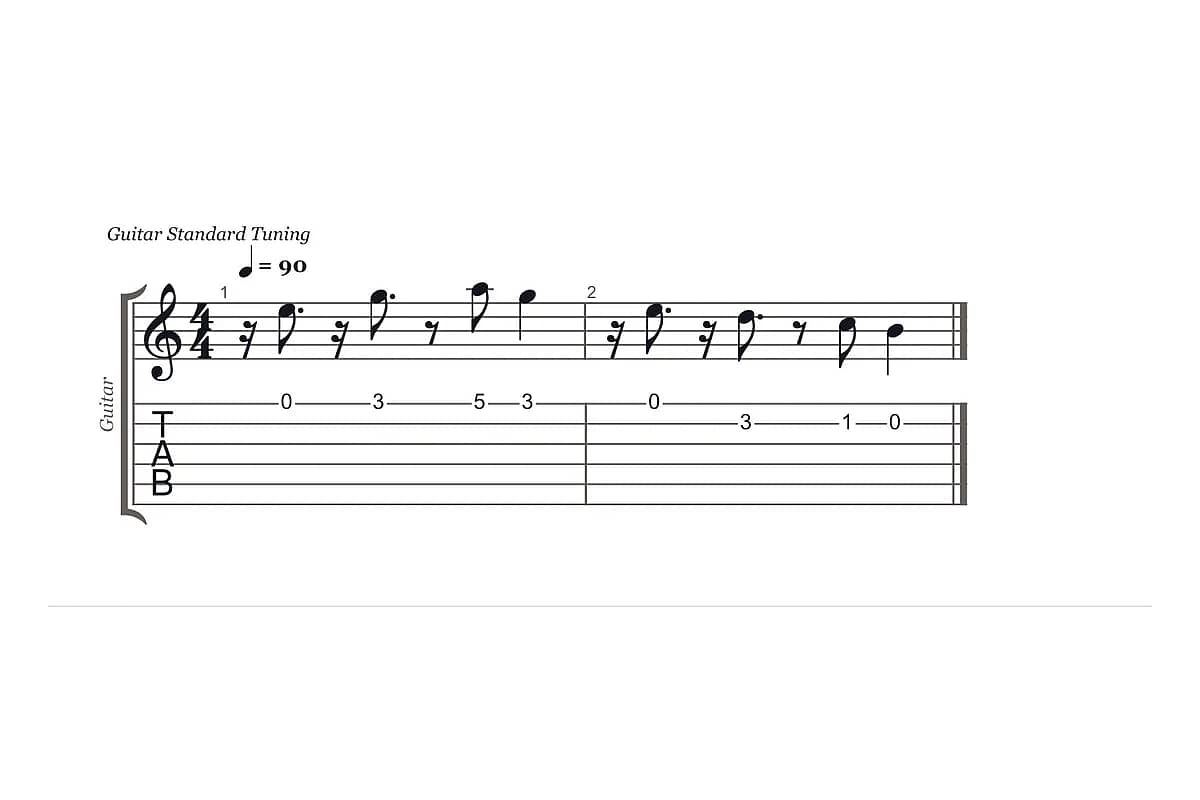
Songwriter
Turns a guitar melody into a starting point for a lead sheet.
Example output: musicXML for the arranger, MIDI for the demo
FAQ
Questions about tab to notation
Is tablature easier than sheet music?
For guitarists, usually yes: tab shows which string and fret to play, so you can start without learning to read notes. For anyone else in the band, no. Pianists, horn players, singers and most teachers read standard notation, and tab says nothing about rhythm. That's why you convert tab to sheet music when you hand a part to someone else.
Can ChatGPT convert guitar tab to sheet music?
Partly. ChatGPT can read a tab and tell you the note names, but it can't give you a printable score or a MusicXML file, and it guesses the rhythm without telling you which bars it's unsure about. TabToSheetMusic gives you engraved notation, playback to check the rhythm, and PDF or MusicXML files you can hand over.
How accurate is the rhythm?
If the tab has a rhythm line, the rhythm is taken from it as written. Otherwise it's estimated from the spacing between notes, which works well for evenly spaced tabs and less well for loosely typed ones. Each bar gets a confidence score, uncertain bars are highlighted, and you can fix any bar in one click and play it back before exporting.
What can I import?
You can paste plain-text tab for six-string guitar and for four- or five-string bass, with or without string names, in standard or common alternate tunings. You can also drop in Guitar Pro files (.gp, .gp3, .gp4, .gp5, .gpx) and MusicXML files. Images, PDFs of printed music and recordings aren't supported.
Can I open the result in MuseScore, Sibelius, Dorico or Finale?
Yes. Export MusicXML and open it in MuseScore 4 with File → Open, in Sibelius with File → Open, or in Dorico and Finale through File → Import → MusicXML. The notation staff and the tab staff both come through, so you can keep editing, transpose or add parts there.
Can MuseScore convert tab to sheet music?
Not from pasted text. In MuseScore you add a linked tab staff and type each fret, and the notation appears above it, but every duration is yours to enter. To skip that step, convert the tab here and open the MusicXML file in MuseScore with File → Open to keep editing.
Can I edit the notation after converting?
You can change note values bar by bar, which fixes most rhythm problems. TabToSheetMusic isn't a full notation editor, so for adding dynamics, lyrics or extra instruments, export MusicXML and finish the score in MuseScore, Sibelius, Dorico or Finale.
How much does it cost?
Exporting is paid, because keeping your song library and building every file format costs real money to run. One credit exports one song, and exporting the same song again doesn't use another credit; credit packs and Pro open soon, with planned prices on the pricing page. Converting, previewing and fixing bars cost nothing, and your first export is included when you sign up. The truly free routes are entering the tab on a linked tab staff in MuseScore or Flat: both turn each fret you type into notation, but you set every duration yourself.
Do you have sheet music for songs?
No. We don't host sheet music or tabs; bring your own. TabToSheetMusic converts tab you paste or upload, and you should only convert music you have the right to use. If you're looking for a specific song's sheet music, a sheet music store or the publisher is the place to go.
Can it work from a recording or a printed score?
No. TabToSheetMusic only reads text tab, Guitar Pro files and MusicXML. Turning an audio recording into notation needs a transcription tool, and reading a printed or scanned score needs an optical music recognition app. Once you have a Guitar Pro or MusicXML file from one of those, you can bring it here.
Does it go the other way, from notation to tab?
No, it only goes from tab to sheet music. To go the other way, MuseScore can add a linked tab staff to an existing score, and tools such as Frettify are built for sheet music to tab.
Your tab is ready. Your score can be too.
Paste it above, check the rhythm, and export a PDF or MusicXML when it sounds right.